
Employee Healthcare & Sick Leave for Companies
Give employees access to company-sponsored healthcare through Digimed, while HR manages people, sick leave and consultation activity from one Company Portal.
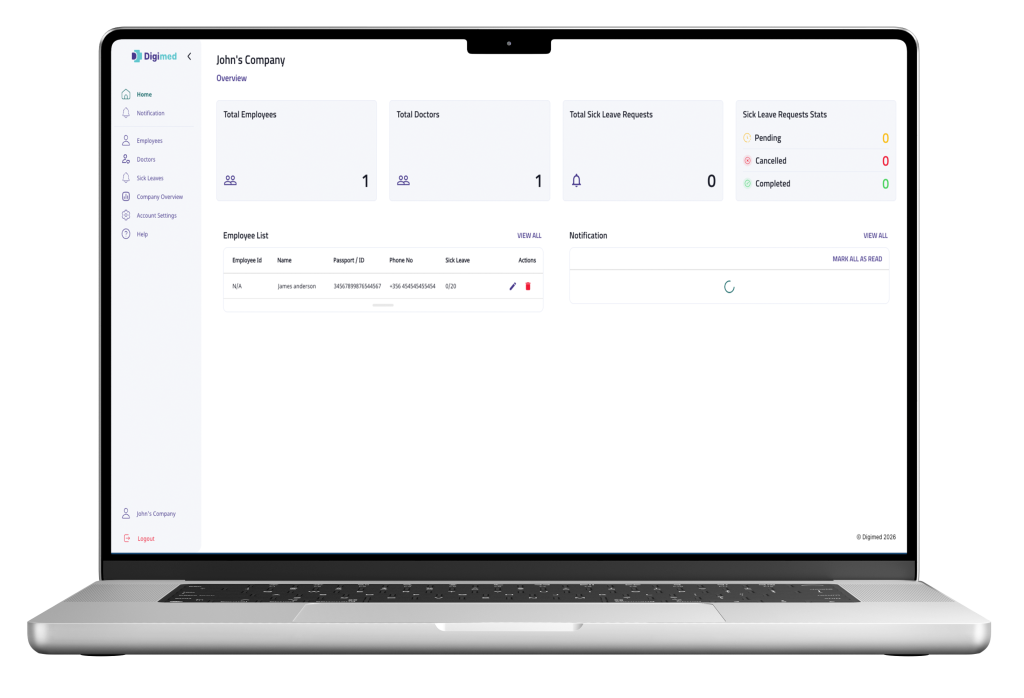
Keep Healthcare Activity Visible and Organised
The Company Dashboard gives HR a consolidated, real-time overview — no digging through spreadsheets or email threads.
One Portal for Employee Healthcare Management
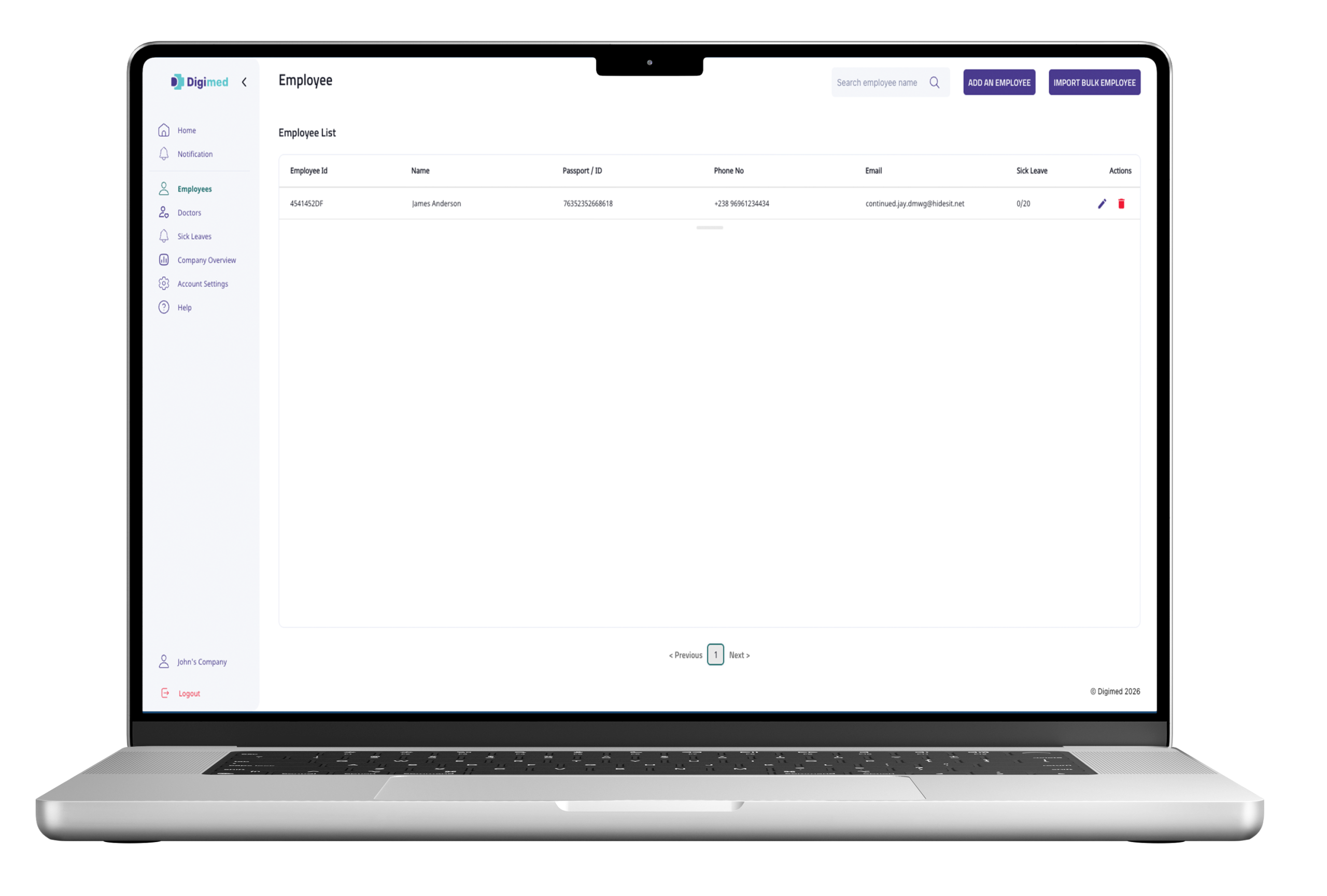
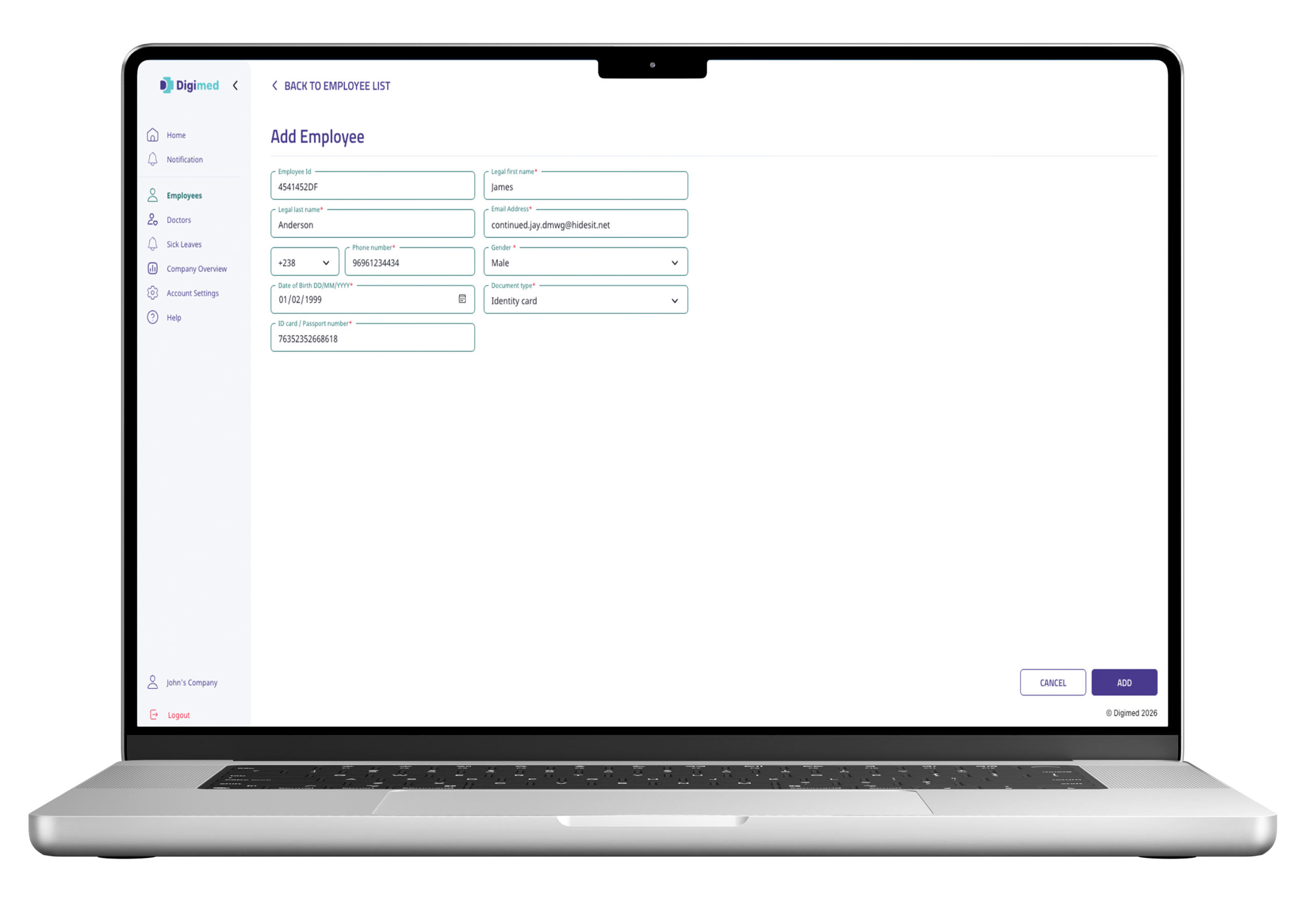
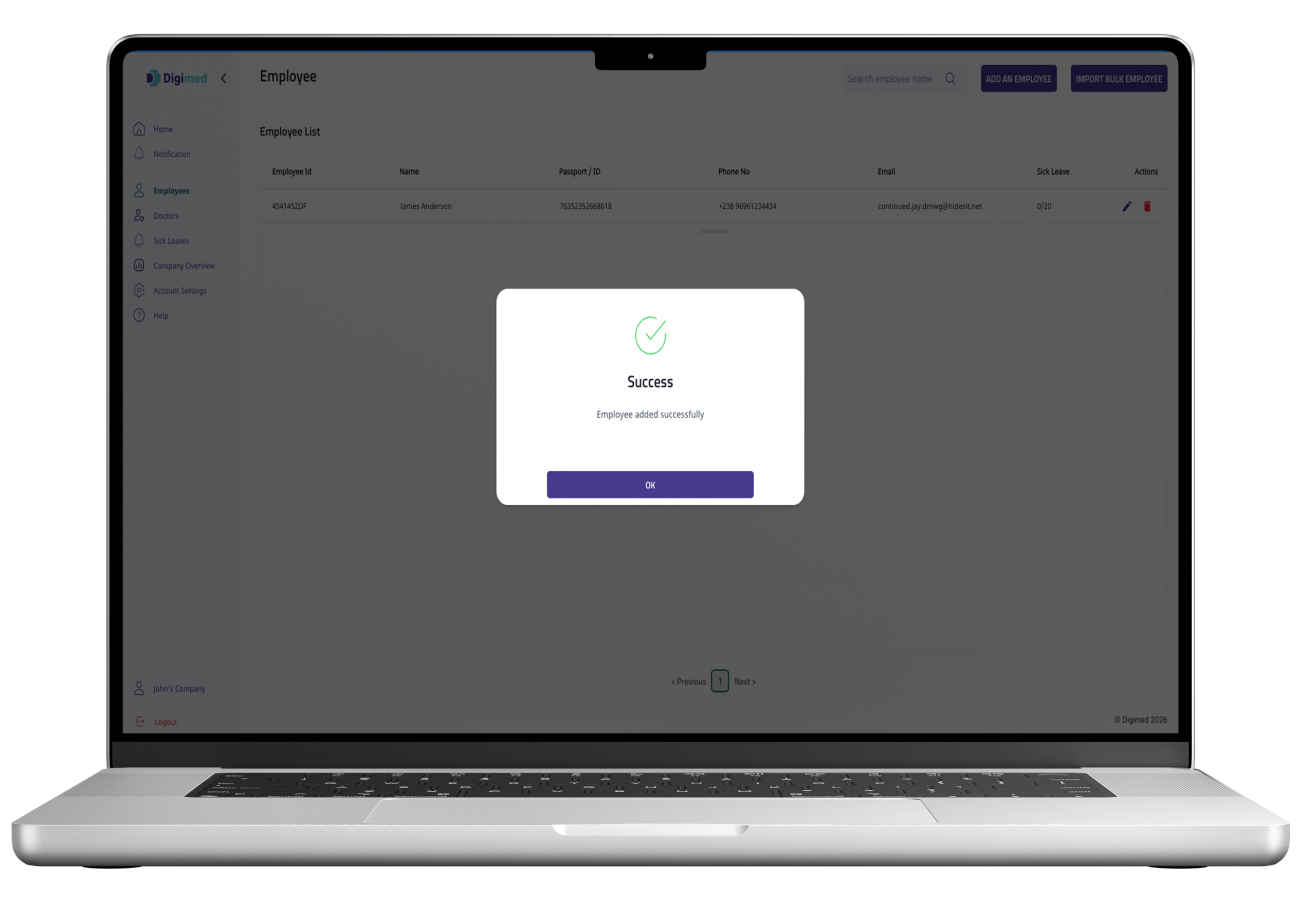
Add and maintain employee records directly from the Company Portal.
Add employees individually
Update employee information
Remove employees when required
Bulk import using the provided template
A Structured Sick Leave Process
From request to certificate, every step is tracked.
Request Submitted
Employee submits a sick leave request, with reason or symptoms where required.
Routed to Doctors
Made available to doctors assigned to the employee's company.
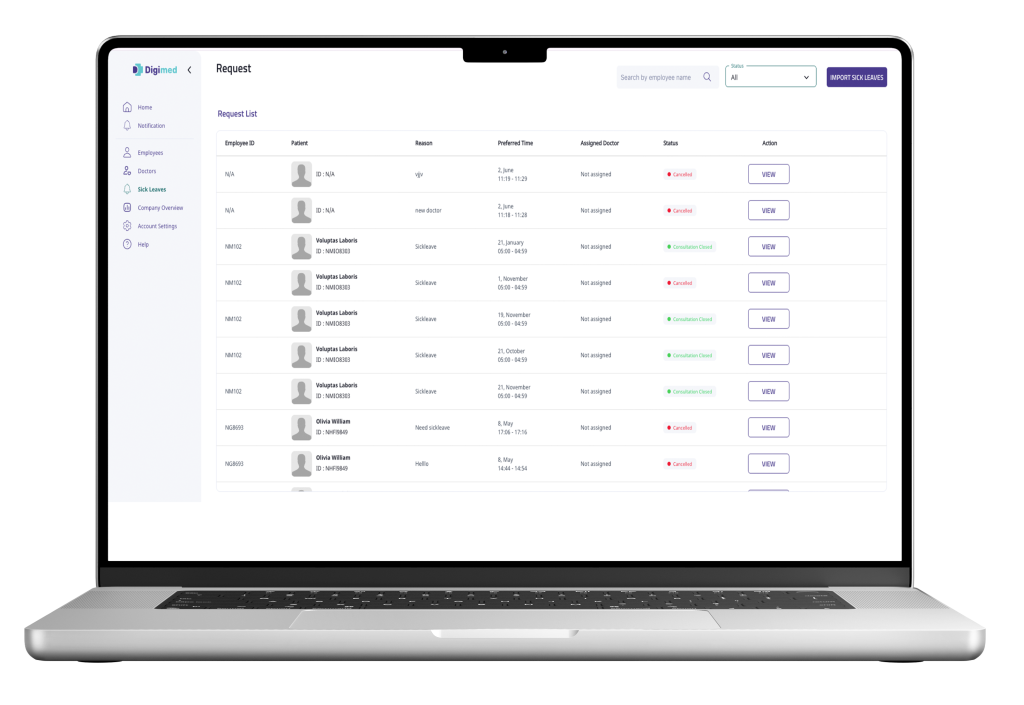
Routed to Doctors
Made available to doctors assigned to the employee's company.
Certificate & Status
Certificate is issued where approved; employee gets medical detail, HR gets status.
Stay Updated Throughout the Process
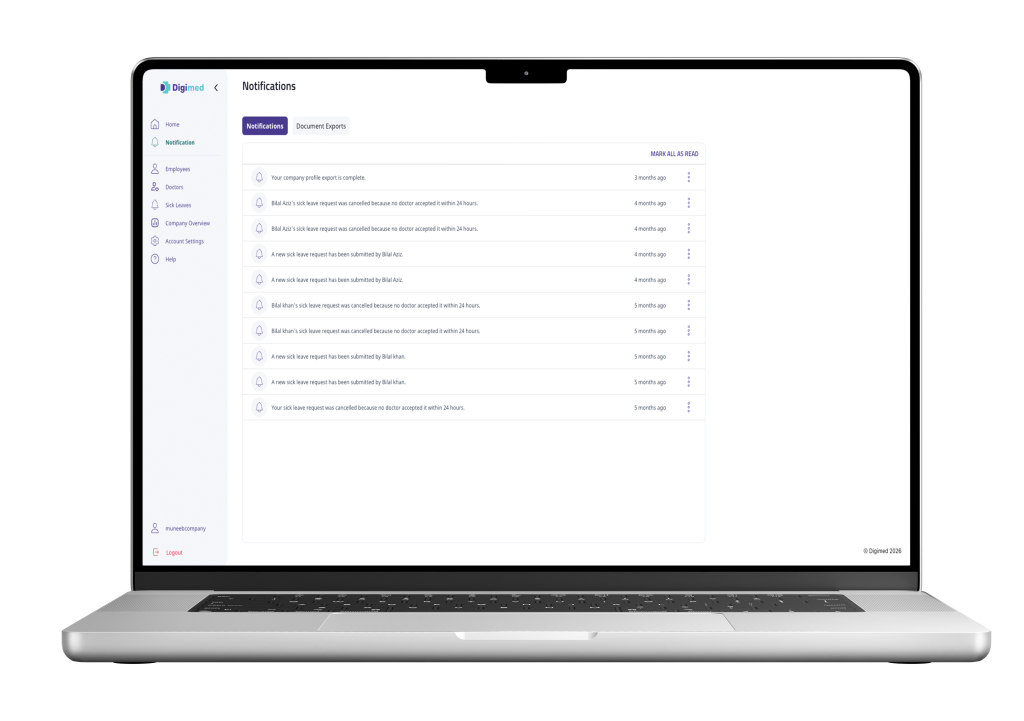
Keep HR informed throughout the employee healthcare process. Digimed provides company-specific status updates and notifications for sick leave requests and related consultations.
HR is notified when an employee submits a new sick leave request.
HR can see when the employee’s consultation has been scheduled with a company-assigned doctor.
The Company Portal reflects the progress of the consultation and sick leave request as the workflow moves forward.
HR can view the sick leave outcome once the doctor has completed the consultation.
When sick leave is approved, HR is notified that the certificate has been issued.
Monitor Sick Leave Activity from the Company Overview Tab
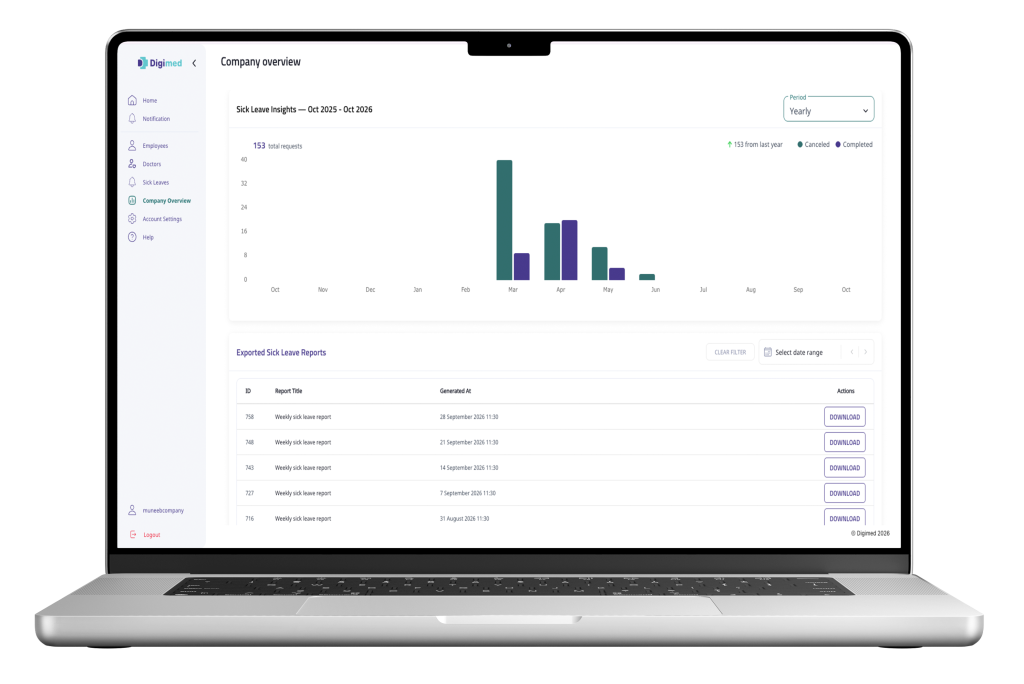
HR teams can review historical sick leave records from one central dashboard.
View total sick leave requests for the selected period.
Switch between Daily, Weekly, Monthly and Yearly views to analyse sick leave activity at different levels.
Review changes against the previous period/year where comparison data is available.
Filter exported sick leave reports by date range to find the required report quickly.
Download previously generated sick leave reports directly from the Company Portal.
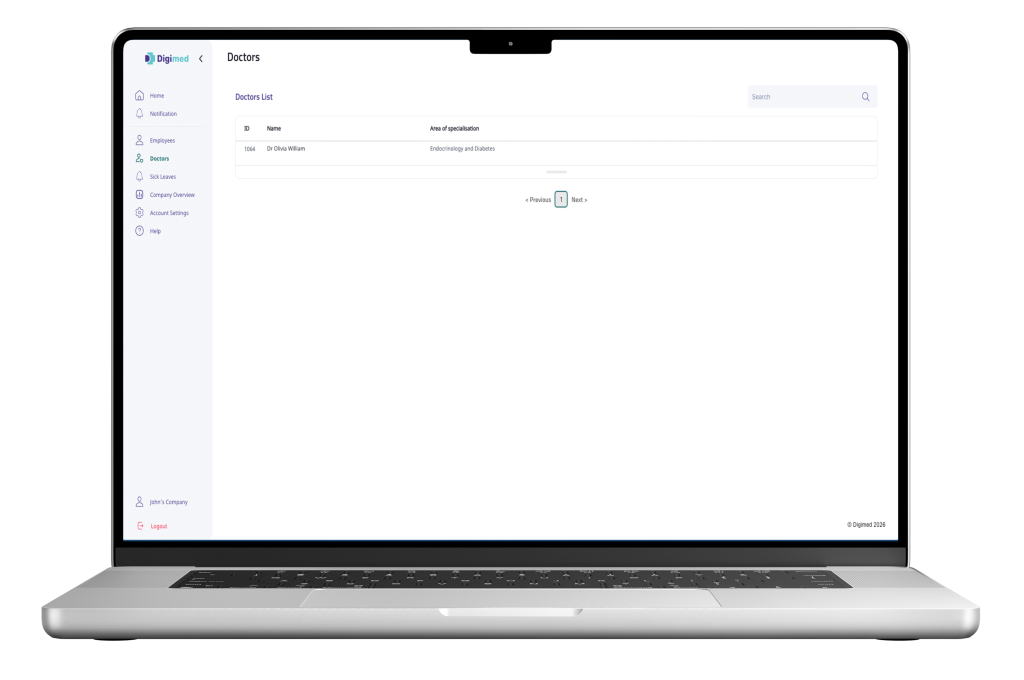
View Doctors Assigned to Your Company
The Doctors tab gives company users a clear view of the healthcare professionals assigned to their organisation
View all doctors assigned to your company in one place.
Search the assigned doctor list to find a specific healthcare professional.
Doctor assignments are managed by Digimed administrators, so companies can view their assigned doctors without managing the association themselves.
Assigned doctors can receive company-related consultation and sick leave requests through the Digimed workflow.
How Your Company Gets Started with Digimed
From company setup to employee sick leave management, Digimed provides a structured workflow for company-sponsored healthcare.
Company Set Up
Digimed administrators create your company profile and provide access to the Company Portal.
Doctors Assigned
Digimed administrators assign designated doctors who can receive consultation and sick leave requests from your employees.
Employees Added
Company administrator adds employees individually or through bulk upload, linking them to the company.
Sick Leave Requests Managed
Employees can submit sick leave requests through Digimed. The request is routed to an assigned doctor for consultation and medical review, while HR can follow the request status and outcome through the Company Portal.
Frequently Asked Questions
Find answers to common questions about company onboarding, employee management, assigned doctors, sick leave workflows and HR access through Digimed.
How is a company onboarded to Digimed?
Digimed administrators create the company profile and authorised HR account. The HR administrator receives access details and completes the required verification before accessing the Company Portal.
How are doctors assigned to a company?
Doctors are associated with the company by Digimed administrators. Company users can view the doctors assigned to their organisation, including their name and area of specialisation.
Can employees request sick leave through Digimed?
Yes. Eligible employees linked to the company can submit sick leave requests through Digimed. The request is routed through the consultation workflow for medical review by an assigned doctor.
Can HR view an employee's diagnosis or medical report?
No. Company access is limited to relevant administrative information, consultation status and sick leave outcomes. Detailed diagnoses and full medical reports remain restricted.
Can a company add multiple employees at once?
Yes. Company administrators can add employees individually or use the supported bulk import process to add multiple employee records more efficiently.
Can HR track employee sick leave requests?
Yes. HR can monitor sick leave requests through the Company Portal, follow their status and review the operational progress of the associated consultation and sick leave workflow.
Can HR view sick leave insights and reports?
Yes. The Company Overview tab provides sick leave insights across supported reporting periods, while available exported sick leave reports can be filtered and downloaded from the Company Portal.